
Back up your data before it is too late
Whether it is your personal photos or your professional documents, never assume that your storage drive is 100% reliable and will never fail.
A simple power cut, a surge, an electronic failure, a shock, spilled liquid, a fire or even theft can lead to permanent data loss.
You must therefore back up your files regularly, but also your computer: macOS, applications, settings and documents.
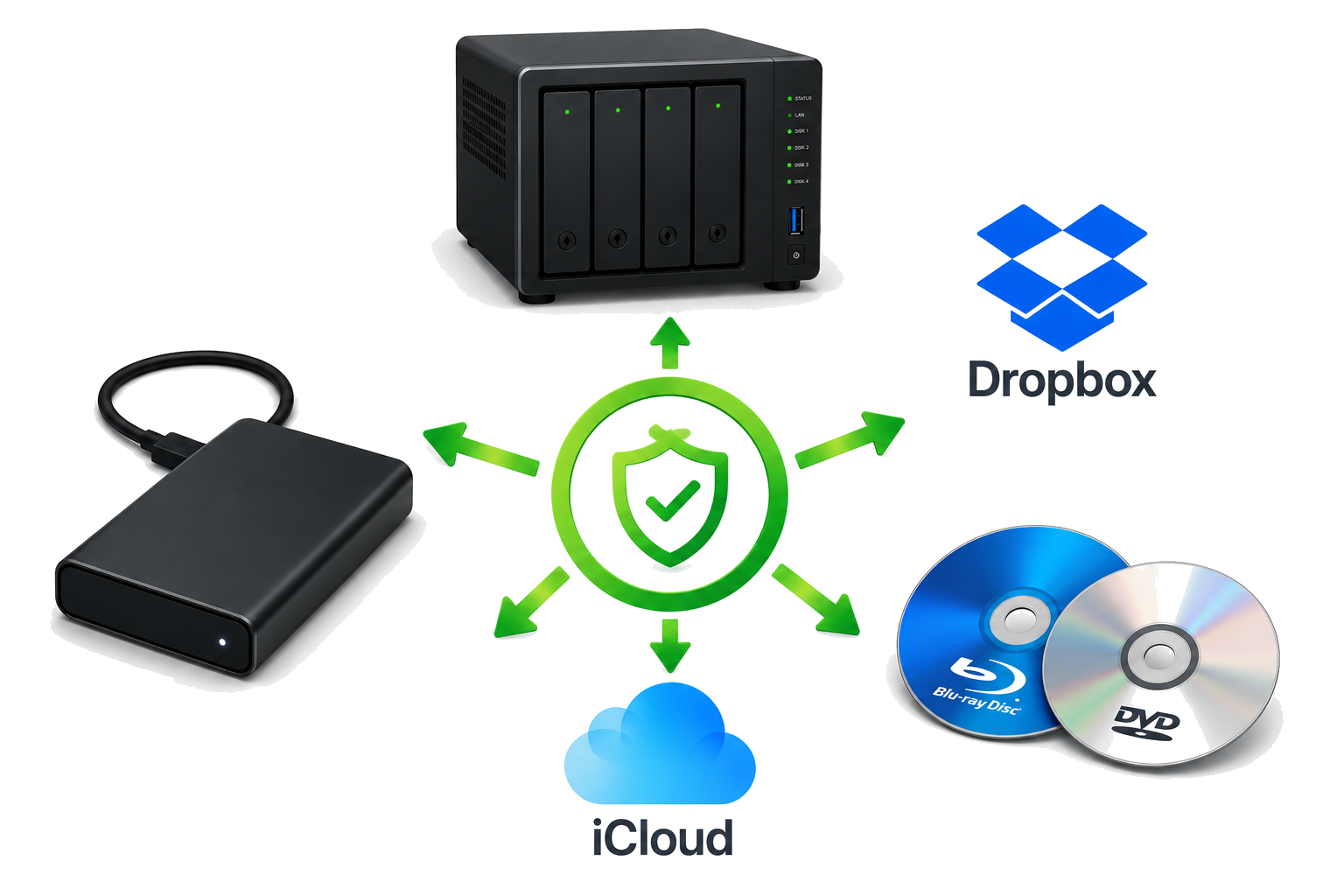
Ideally, you should have at least two backups, on two different media, kept in two separate places.
Warning: never keep all your backups in the same place as your computer. In case of burglary, fire or water damage, you could lose everything at once.
1/ A local backup
The simplest solution is to use a 2.5-inch external hard drive powered directly by USB, without a mains adapter.
The goal is to obtain a complete clone of your Mac, including macOS, applications, settings and data. In case of failure, you can even start directly from this backup disk and continue working immediately.
For this, I recommend Carbon Copy Cloner by Bombich Software. It is now one of the few solutions able to correctly clone recent versions of macOS while allowing the backup disk to boot.
Note: Time Machine, supplied free by Apple, is easy to use but more limited for advanced backup strategies. To fully restore a Mac, a macOS system generally already needs to be installed on the machine.
2/ Long-term archiving
You can complete your backups by archiving photos, important documents or finished work on optical media:
- dual-layer DVD, 8.5 GB;
- 25 or 50 GB Blu-ray.
An external USB CD/DVD burner costs around 49 euros including tax and remains an excellent solution for archives that cannot be deleted by mistake, by a virus or by ransomware.
3/ A second backup stored elsewhere
A second copy, located elsewhere, is essential.
Two solutions are possible:
A cloud service such as Dropbox, which in my opinion is one of the most professional solutions. In addition to backup, Dropbox lets you:
- easily share folders between several users;
- send large files;
- keep a version history for about a month;
- recover deleted files thanks to a bin kept for about a month.
All files remain accessible from an iPhone, iPad, Mac or PC. It is also one of the simplest ways to transfer documents quickly between devices.
A secure remote backup hosted in our premises, providing an additional copy independent from your home or business.
4/ What about iCloud?
iCloud is perfectly suited to synchronising Apple devices and to iCloud Photos.
However, it offers very little customisation and should not be considered a real backup strategy.
It is very inefficient for recovering deleted data or fully restoring a computer after a major failure.